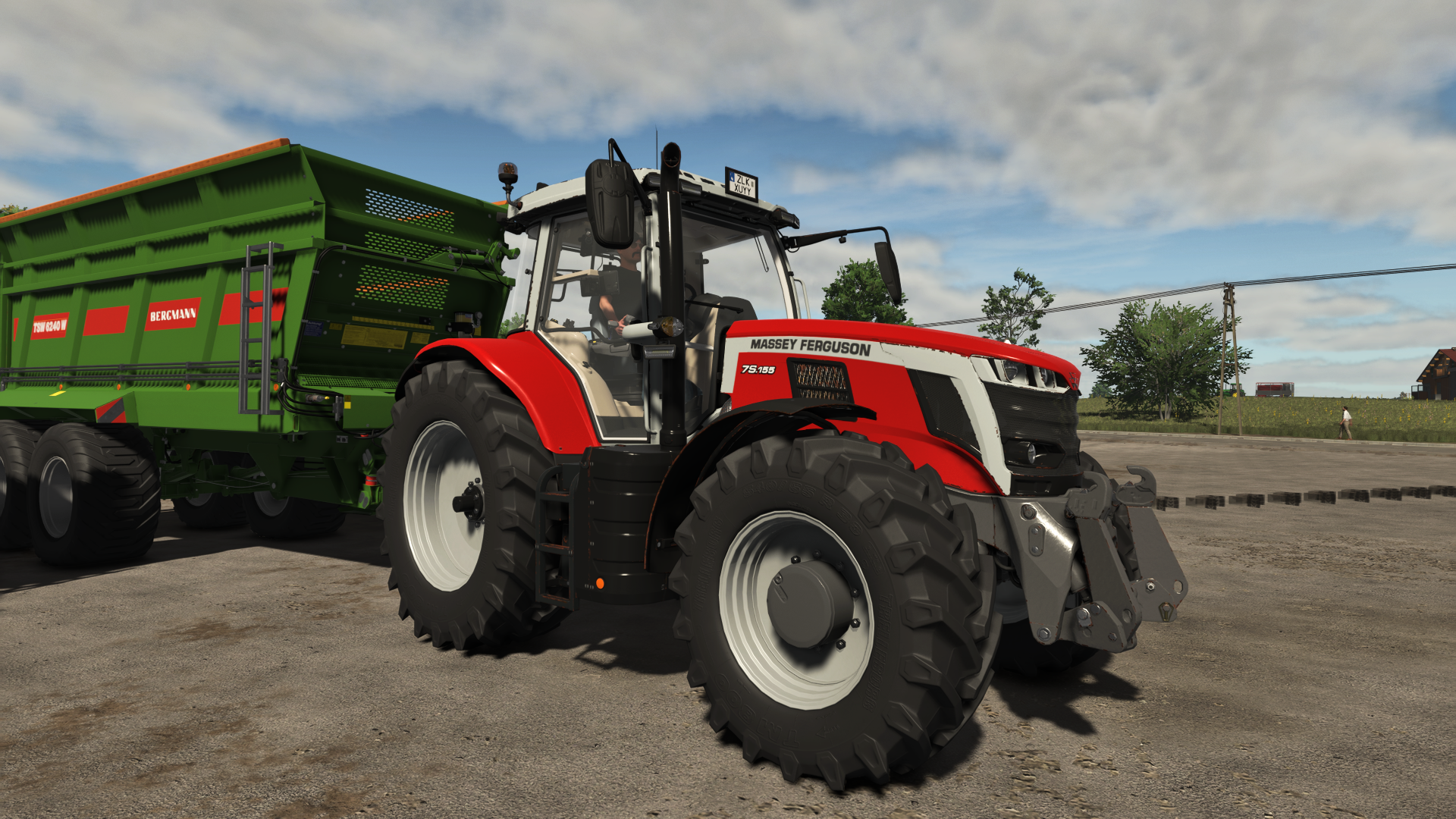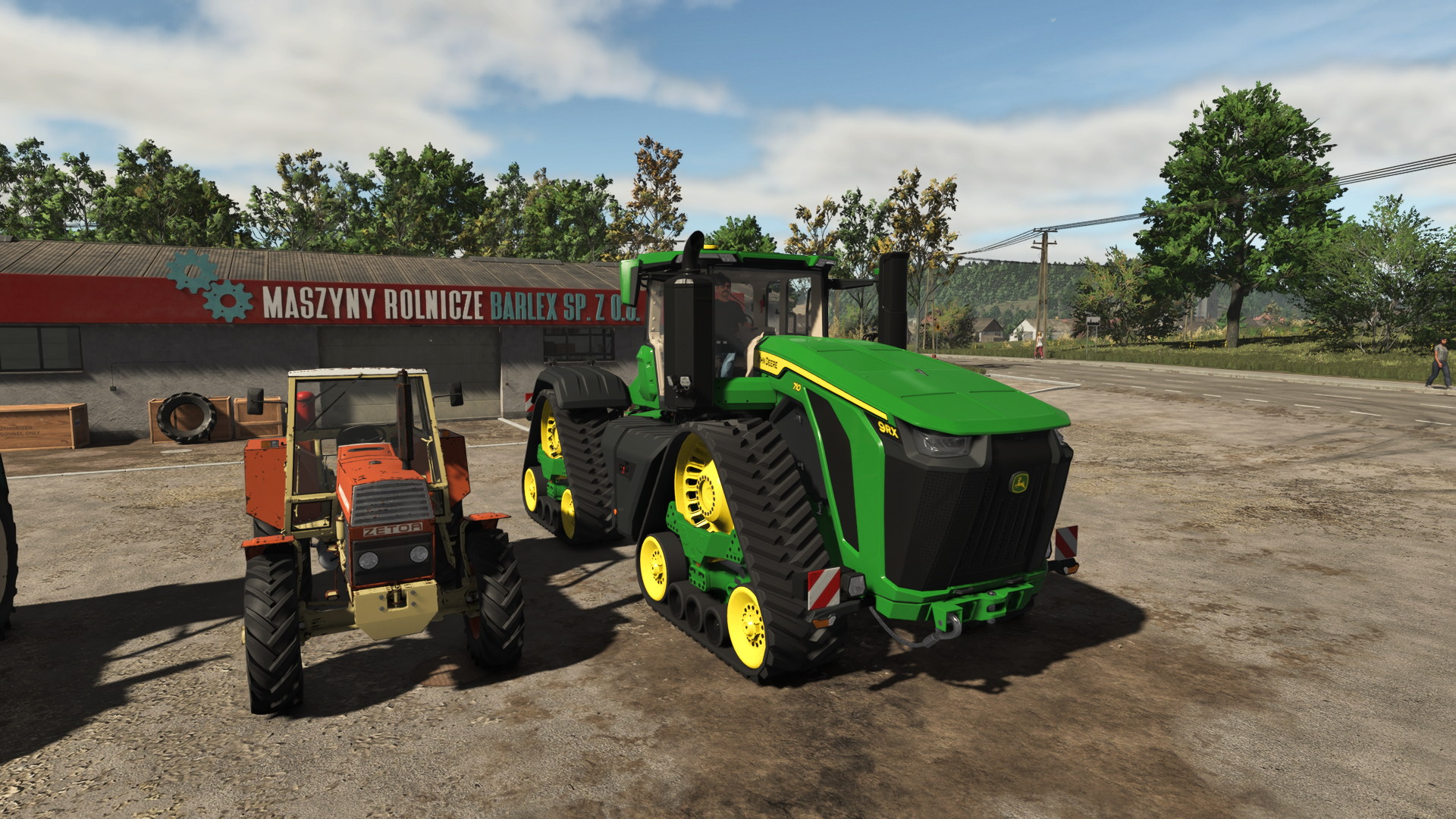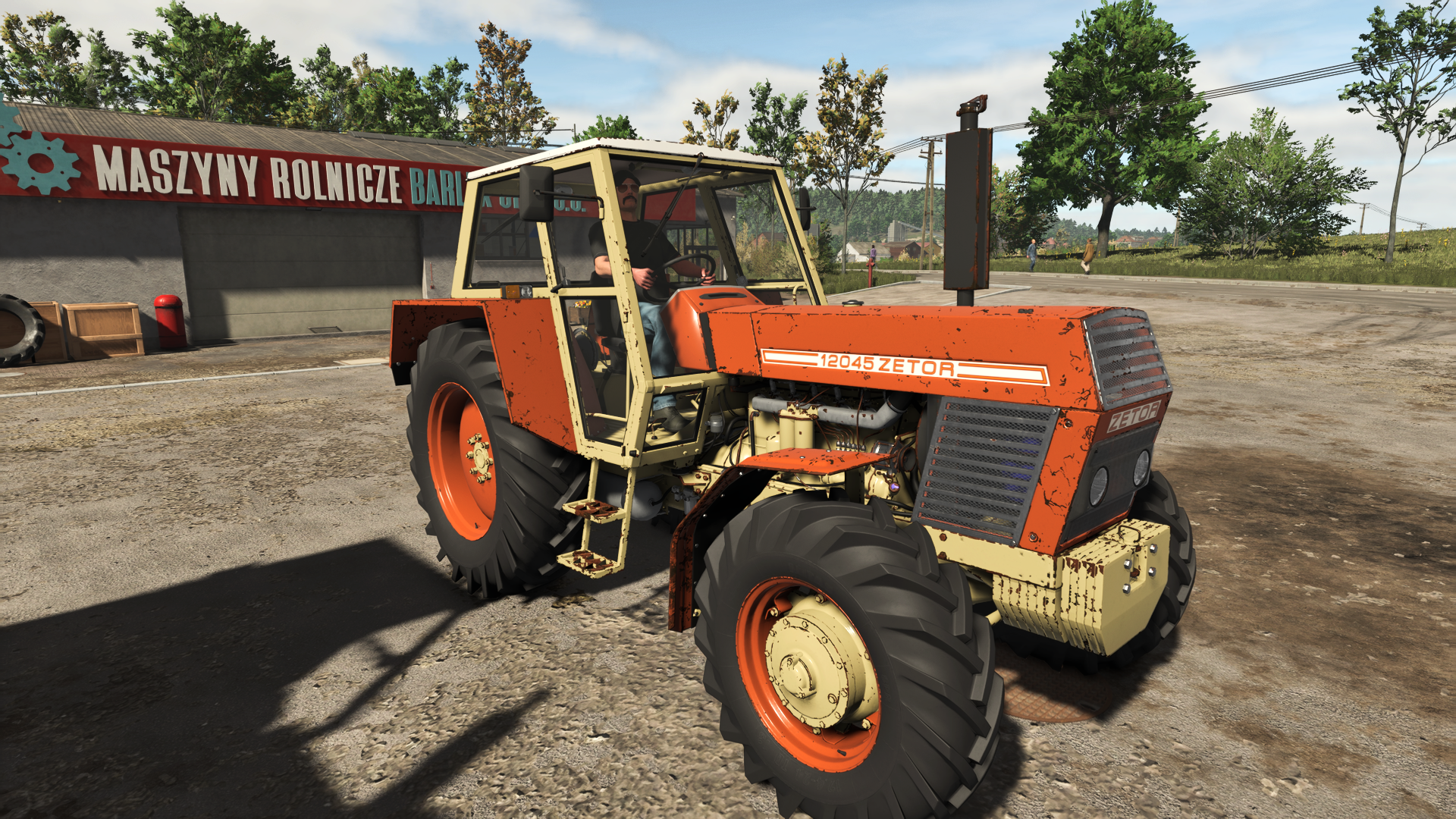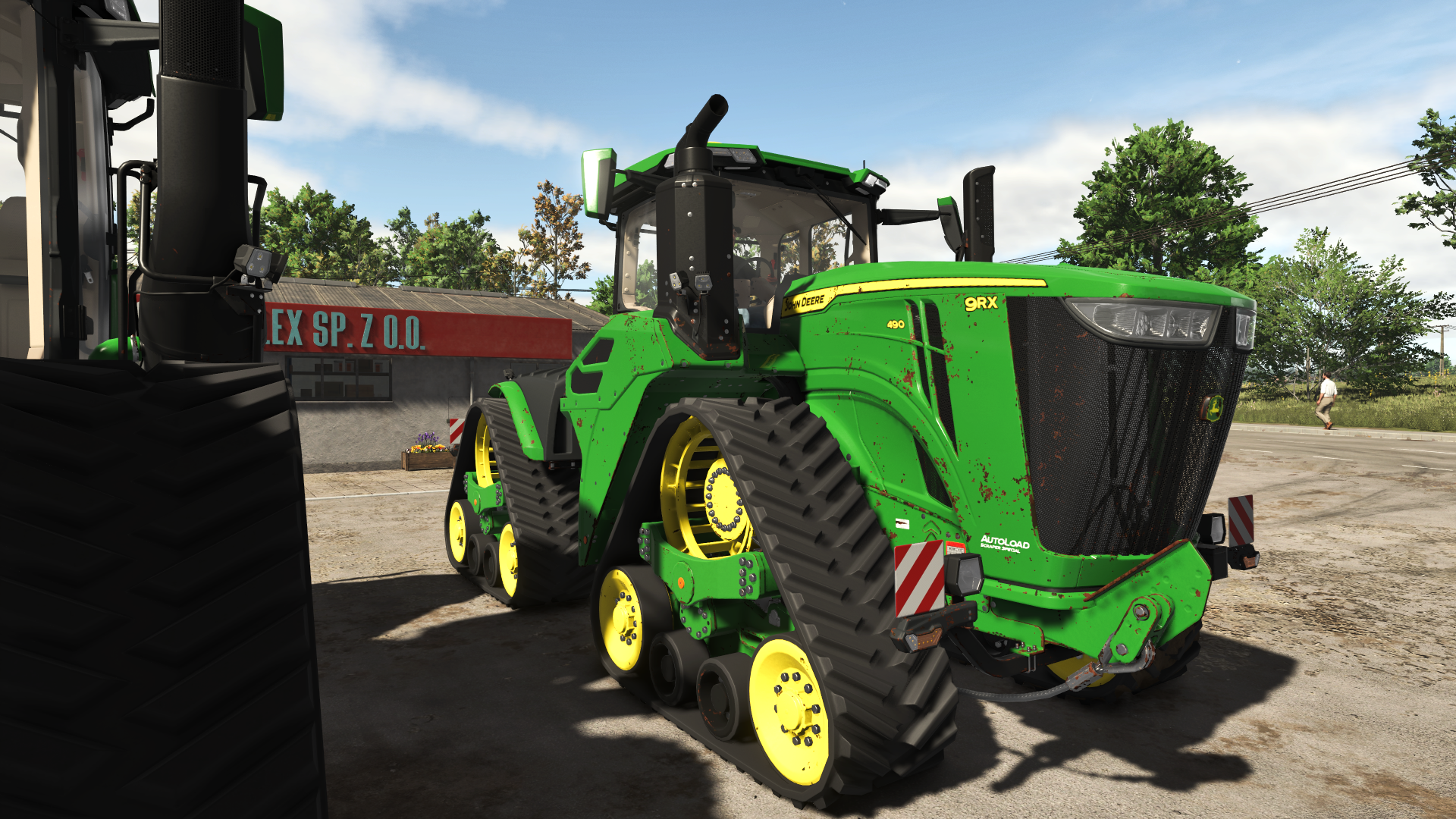
Rust Wear Shader Overview
Rust Wear Shader is a Farming Simulator 25 Visual Effects mod from Sumro Gaming, and this page is written to explain the release before a player opens the download source. Applies a rust/junk look to vehicle and equipment paint wear through FS25's native wearable shader parameters. The original custom vehicleShader.xml plus rustDiffuse/rustSpecular textures are bundled in this mod under shaders/ for per-vehicle use. Rust Wear Shader is an original Sumro Gaming Visual Effects mod for Farming Simulator 25.
It is made for players who want stronger atmosphere, better visual detail, and a more alive FS25 farm environment. The main purpose is simple: Applies a rust/junk look to vehicle and equipment paint wear through FS25's native wearable shader parameters. The original custom vehicleShader.xml plus rustDiffuse/rustSpecular textures. For Rust Wear Shader, the important question is not only whether the file exists, but what the mod changes, when it is useful, and how safely it can be tested on a real save.
Aged Paint And Metal Detail
Rust Wear Shader focuses on this feature set: Boosts visible paint wear and rust styling for supported vehicles and tools, Includes bundled rustDiffuse, rustSpecular, and vehicleShader assets for per-vehicle use, and Uses configurable defaults through the RustWearShader settings file. It adjusts wear shader assets and settings so supported vehicles and implements show stronger rust, worn paint, and aged metal detail. This mod is best judged on older equipment, hard-worked tractors, and long-running saves where paint wear should tell a story instead of looking freshly washed all season.
Because Rust Wear Shader is being documented for FS25 players, the description keeps the practical gameplay result beside the technical ZIP details instead of leaving visitors with only a title and button.
Vehicle Weathering Workflow
It works well on farms where atmosphere is important, because small visual changes can make field work, livestock yards, roads, weather, and equipment feel less flat. The 4 screenshots on this page show Rust Wear Shader in-game, which helps players compare the mod visually before opening the download source. A good way to judge Rust Wear Shader is to repeat the same job before and after enabling it, then compare the result in normal farm conditions.
For Rust Wear Shader, the strongest signs to check are the feature behavior, the saved game after reload, and whether the rest of the mod folder still works cleanly.
Shader Asset Install Testing
The download button provides the ZIP file directly from this website, and the ZIP should stay packed when it is placed in the Farming Simulator 25 mods folder. Install Rust Wear Shader by keeping FS25_RustWearShader.zip packed as a ZIP and placing it in Documents/My Games/FarmingSimulator2025/mods. Enable Rust Wear Shader from the savegame mod list, load a backup save first, and avoid keeping old copies of the same file in the active mods folder.
No separate required-mod list is shown for Rust Wear Shader, so the normal approach is to install FS25_RustWearShader.zip by itself and then test it with the rest of the active mod folder.
Rust Texture Troubleshooting
Rust Wear Shader: This visual script should be checked with shader, dust, tire, water, weather, crop, and performance-heavy mods so the farm still looks stable and runs smoothly. Rust Wear Shader multiplayer status is listed as Supported. This visual mod uses shader XML and texture assets for the rust and wear look, while the active FS25 scripting approach stays Lua where logic is needed. Keeping one main scripting language makes the mod easier to test after game patches.
For Rust Wear Shader, compatibility testing should include the map, any mods that touch the same gameplay area, and a save-and-reload check before the setup is trusted on a long-running farm.
Testing Notes For Rust Wear Shader
Rust Wear Shader: Test it in morning light, midday light, and one familiar yard or field scene so the visual change is judged fairly. While testing Rust Wear Shader, change only one thing at a time and write down the map name, game version, mod version, and other active scripts that affect visual effects gameplay. If the first test looks good, save the game, exit to the menu, reload the save, and repeat the same action once more.
For Rust Wear Shader, that second pass helps catch restore problems, missing XML paths, delayed script errors, and visual changes that only appear after reload.
Rust Wear Final Advice
Rust Wear Shader: If the visual style looks too strong, compare weather, time of day, shader settings, and any other texture replacement active in the same save. The final recommendation for Rust Wear Shader is to use it as a focused FS25 improvement, keep one active version, and check the download source whenever an update appears. The public file name for this release is FS25_RustWearShader.zip, and the page lists version 1.0.0.0.
If Rust Wear Shader improves the exact job you repeat on your farm and the log stays clean, it is a safer candidate for a main save than a mod added only from a screenshot.
Rust Wear Shader Features
- Boosts visible paint wear and rust styling for supported vehicles and tools.
- Includes bundled rustDiffuse, rustSpecular, and vehicleShader assets for per-vehicle use.
- Uses configurable defaults through the RustWearShader settings file.
How To Install Rust Wear Shader
- Download the ZIP file from this page.
- Move the ZIP file into Documents/My Games/FarmingSimulator2025/mods.
- Start Farming Simulator 25 and enable the mod in your savegame mod list.
- For terrain, animal, or vehicle behavior scripts, test on a backup save first.
Rust Wear Shader Changelog
Rust Wear Shader current public version is v1.0.0.0. Keep only one copy of FS25_RustWearShader.zip in your active Farming Simulator 25 mods folder.
Rust Wear Shader Compatibility Notes
Rust Wear Shader: This visual script should be checked with shader, dust, tire, water, weather, crop, and performance-heavy mods so the farm still looks stable and runs smoothly.