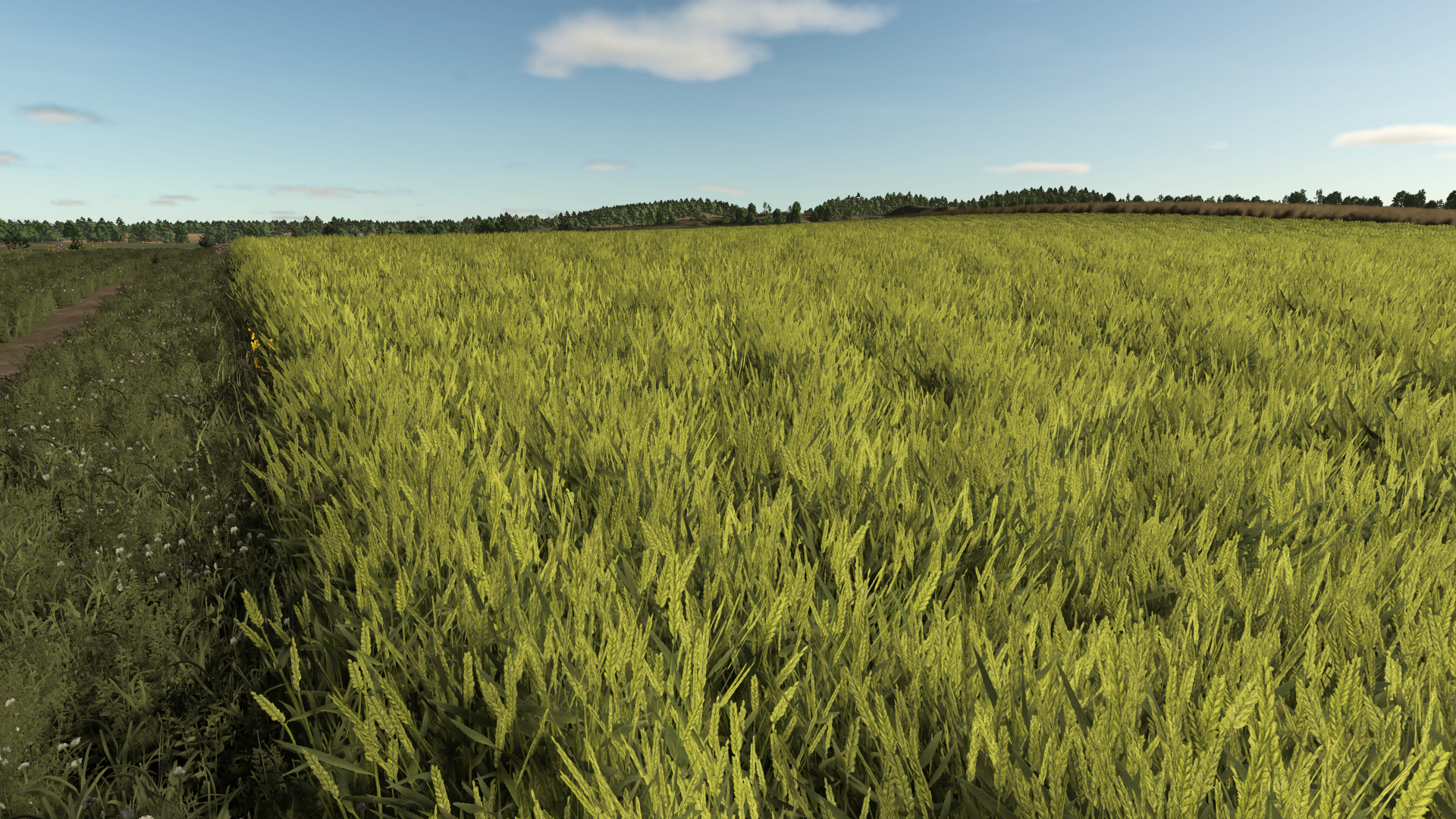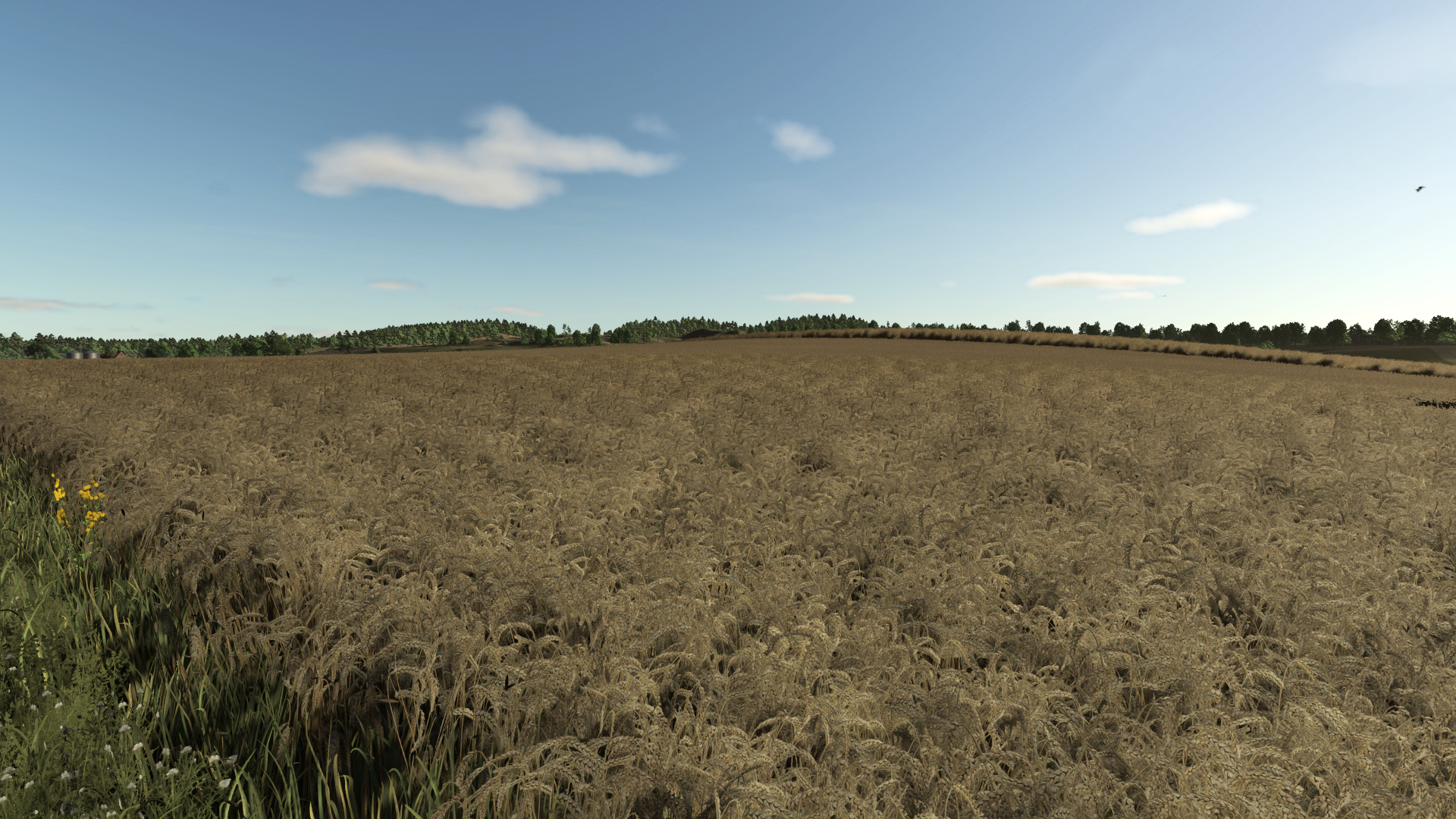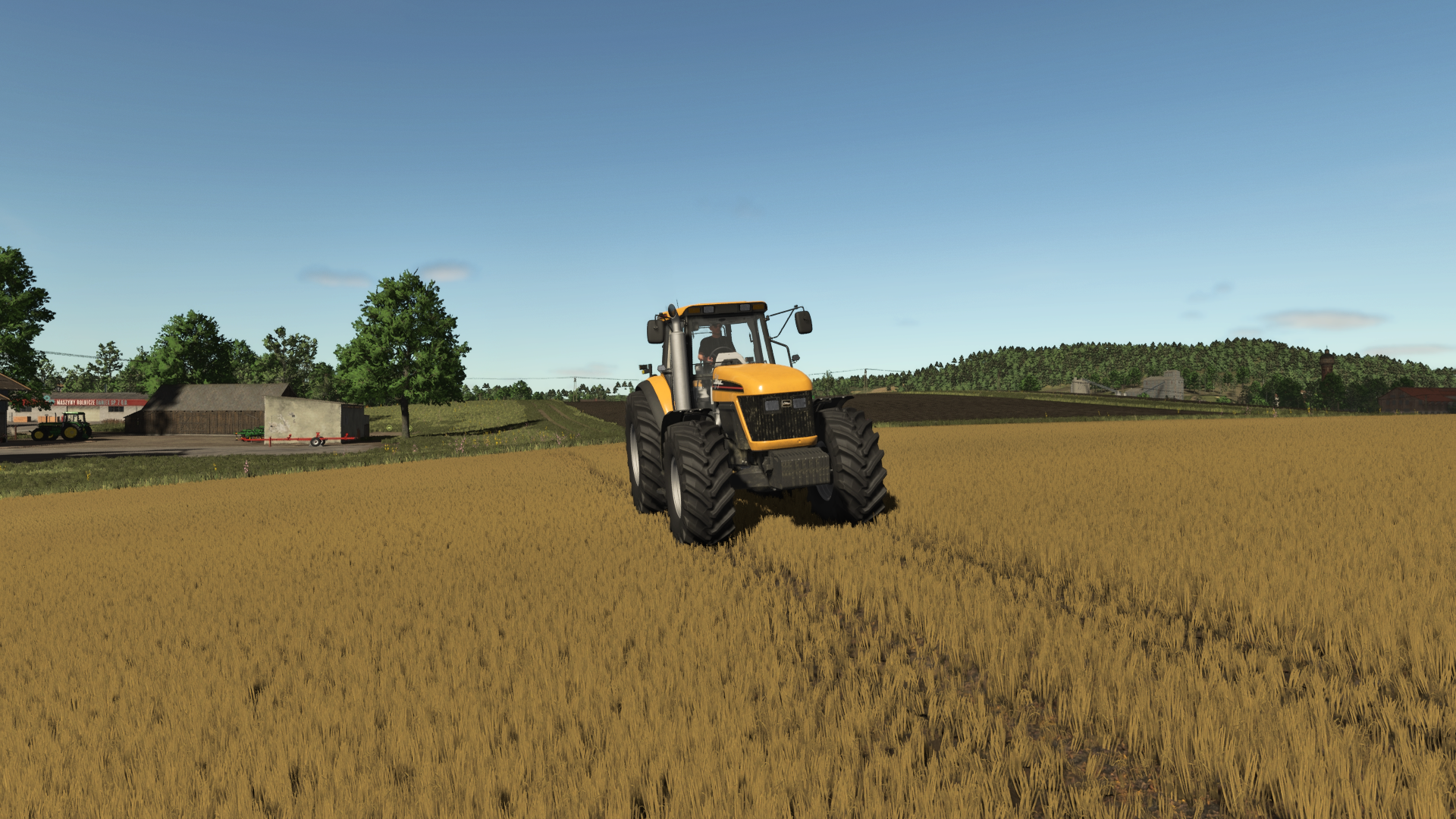
Improved Wheat Textures Second Overview
Improved Wheat Textures Second is a Farming Simulator 25 Field & Crop mod from Sumro Gaming, and this page is written to explain the release before a player opens the download source. Improved Wheat Textures Second replaces the normal FS25 wheat foliage with a more realistic wheat plant texture set while the mod is enabled. When a map loads, the mod first restores the bundled original wheat files, then installs the supplied wheat XML, I3D, shape file, growth-stage textures, LOD.
Improved Wheat Textures Second is an original Sumro Gaming Field & Crop mod for Farming Simulator 25. It is made for players who want more realistic crop and field reactions during normal field work. The main purpose is simple: Improved Wheat Textures Second replaces the normal FS25 wheat foliage with a more realistic wheat plant texture set while the mod is enabled.
For Improved Wheat Textures Second, the important question is not only whether the file exists, but what the mod changes, when it is useful, and how safely it can be tested on a real save.
Improved Wheat Textures Second Feature Details
Improved Wheat Textures Second focuses on this feature set: Replaces wheat foliage visuals with improved XML, I3D, shape, growth-stage, LOD, and distance texture files while active, Restores bundled original wheat files after the mission or game closes normally, and Supports common local wheat foliage paths so base maps and many mod maps can use the same improved wheat look.
It installs a full improved wheat foliage texture set while the mod is active, including wheat XML, I3D, shapes, growth-stage textures, LOD textures, and distance textures, then restores the bundled original wheat files after the mission or game closes. This wheat texture release is mainly for players who want wheat fields to look stronger across growth stages and from distance without manually copying files into the game data folder.
Because Improved Wheat Textures Second is being documented for FS25 players, the description keeps the practical gameplay result beside the technical ZIP details instead of leaving visitors with only a title and button.
Improved Wheat Textures Second Farm Workflow
It is best used on active crop saves where the player can compare field behavior before and after the mod during drilling, spraying, harvest, or headland work. The 3 screenshots on this page show Improved Wheat Textures Second in-game, which helps players compare the mod visually before opening the download source. A good way to judge Improved Wheat Textures Second is to repeat the same job before and after enabling it, then compare the result in normal farm conditions.
For Improved Wheat Textures Second, the strongest signs to check are the feature behavior, the saved game after reload, and whether the rest of the mod folder still works cleanly.
Improved Wheat Textures Second Setup And Testing
The download button opens the external source page listed for this mod, so players should check that page before adding the file to a save. Install Improved Wheat Textures Second by keeping FS25_ImprovedWheatTexturesSecond.zip packed as a ZIP and placing it in Documents/My Games/FarmingSimulator2025/mods. Enable Improved Wheat Textures Second from the savegame mod list, load a backup save first, and avoid keeping old copies of the same file in the active mods folder.
No separate required-mod list is shown for Improved Wheat Textures Second, so the normal approach is to install FS25_ImprovedWheatTexturesSecond.zip by itself and then test it with the rest of the active mod folder.
Improved Wheat Textures Second Troubleshooting Notes
Note: Do not enable FS25_ImprovedWheatTexturesSecond together with Improved Wheat XML or another wheat foliage/XML replacement mod. Use only one wheat foliage replacement mod in the same savegame. Improved Wheat Textures Second multiplayer status is listed as Supported. The active gameplay logic is written in Lua, the scripting language Farming Simulator 25 uses for script mods. Lua is chosen because the game loads it directly through modDesc.xml, and using one main scripting language keeps the mod lighter, easier to update, and safer beside other scripts.
For Improved Wheat Textures Second, compatibility testing should include the map, any mods that touch the same gameplay area, and a save-and-reload check before the setup is trusted on a long-running farm.
Testing Notes For Improved Wheat Textures Second
Improved Wheat Textures Second: Test it through the relevant field state or crop stage, then drive, harvest, or reload to confirm the normal FS25 workflow still behaves as expected. While testing Improved Wheat Textures Second, change only one thing at a time and write down the map name, game version, mod version, and other active scripts that affect field & crop gameplay. If the first test looks good, save the game, exit to the menu, reload the save, and repeat the same action once more.
For Improved Wheat Textures Second, that second pass helps catch restore problems, missing XML paths, delayed script errors, and visual changes that only appear after reload.
Improved Wheat Textures Second Final Recommendation
Improved Wheat Textures Second: If crop visuals or field states do not match expectations, remove other crop, tramline, texture, precision, or destruction mods and check the same field again. The final recommendation for Improved Wheat Textures Second is to use it as a focused FS25 improvement, keep one active version, and check the download source whenever an update appears. The public file name for this release is FS25_ImprovedWheatTexturesSecond.zip, and the page lists version 1.0.0.1.
If Improved Wheat Textures Second improves the exact job you repeat on your farm and the log stays clean, it is a safer candidate for a main save than a mod added only from a screenshot.
Improved Wheat Textures Second Features
- Replaces wheat foliage visuals with improved XML, I3D, shape, growth-stage, LOD, and distance texture files while active.
- Restores bundled original wheat files after the mission or game closes normally.
- Supports common local wheat foliage paths so base maps and many mod maps can use the same improved wheat look.
How To Install Improved Wheat Textures Second
- Open the download page from this page and download the mod file.
- Move the ZIP file into Documents/My Games/FarmingSimulator2025/mods.
- Start Farming Simulator 25 and enable the mod in your savegame mod list.
- For terrain, animal, or vehicle behavior scripts, test on a backup save first.
Improved Wheat Textures Second Changelog
Improved Wheat Textures Second current public version is v1.0.0.1. Keep only one copy of FS25_ImprovedWheatTexturesSecond.zip in your active Farming Simulator 25 mods folder.
Improved Wheat Textures Second Compatibility Notes
Note: Do not enable FS25_ImprovedWheatTexturesSecond together with Improved Wheat XML or another wheat foliage/XML replacement mod. Use only one wheat foliage replacement mod in the same savegame.