Improved Corn Plants Second Overview
Improved Corn Plants Second is a Farming Simulator 25 Field & Crop mod page prepared for players who want more realistic crop and field reactions during normal field work. It is available as a ready download, version 1.0.0.6, with source listed as Sumro Gaming. Update: This version now works on mod maps too. Earlier versions were mainly made for base-game maps, but the replacement and restore system has now been updated for mod maps as well.
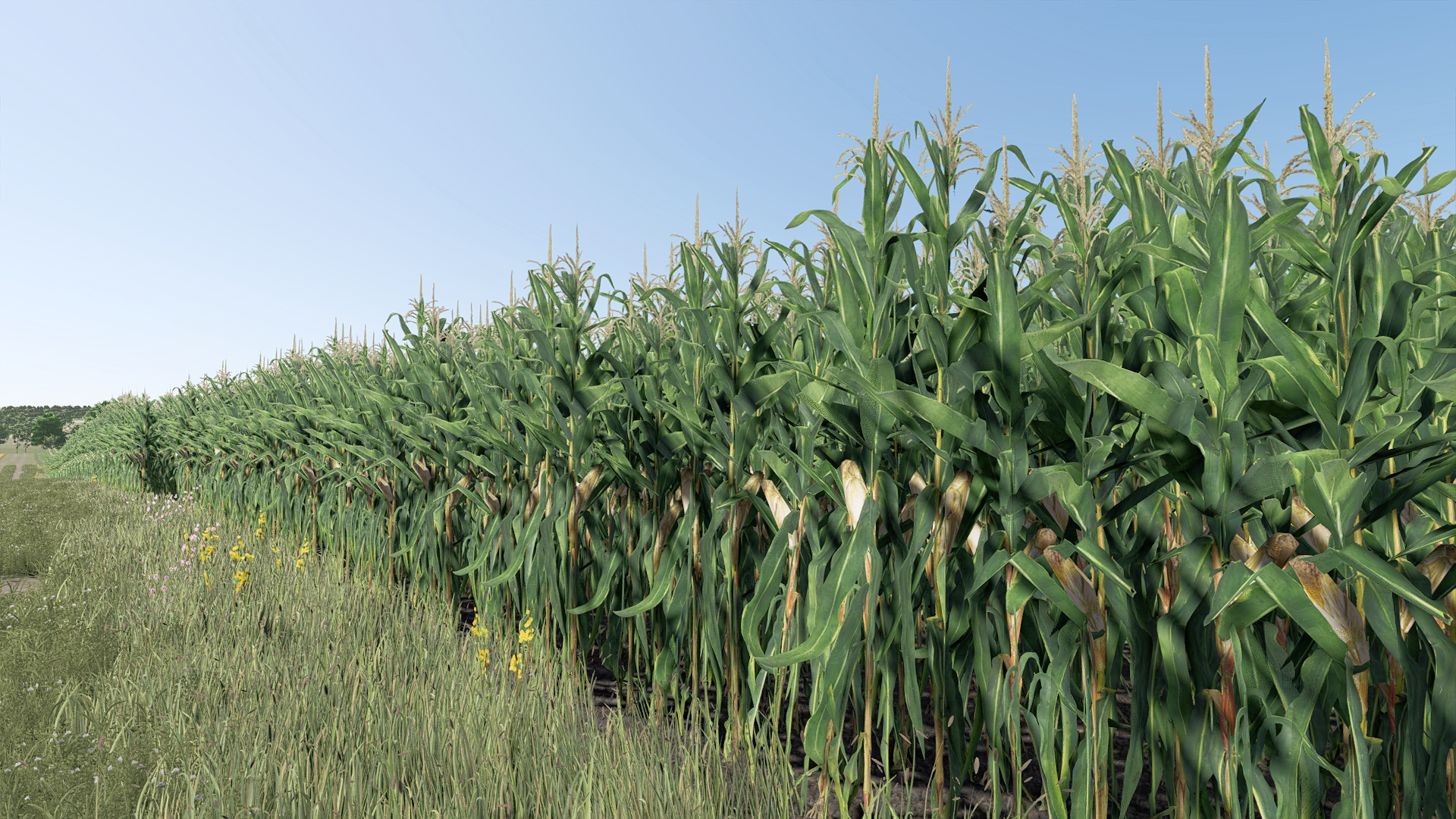
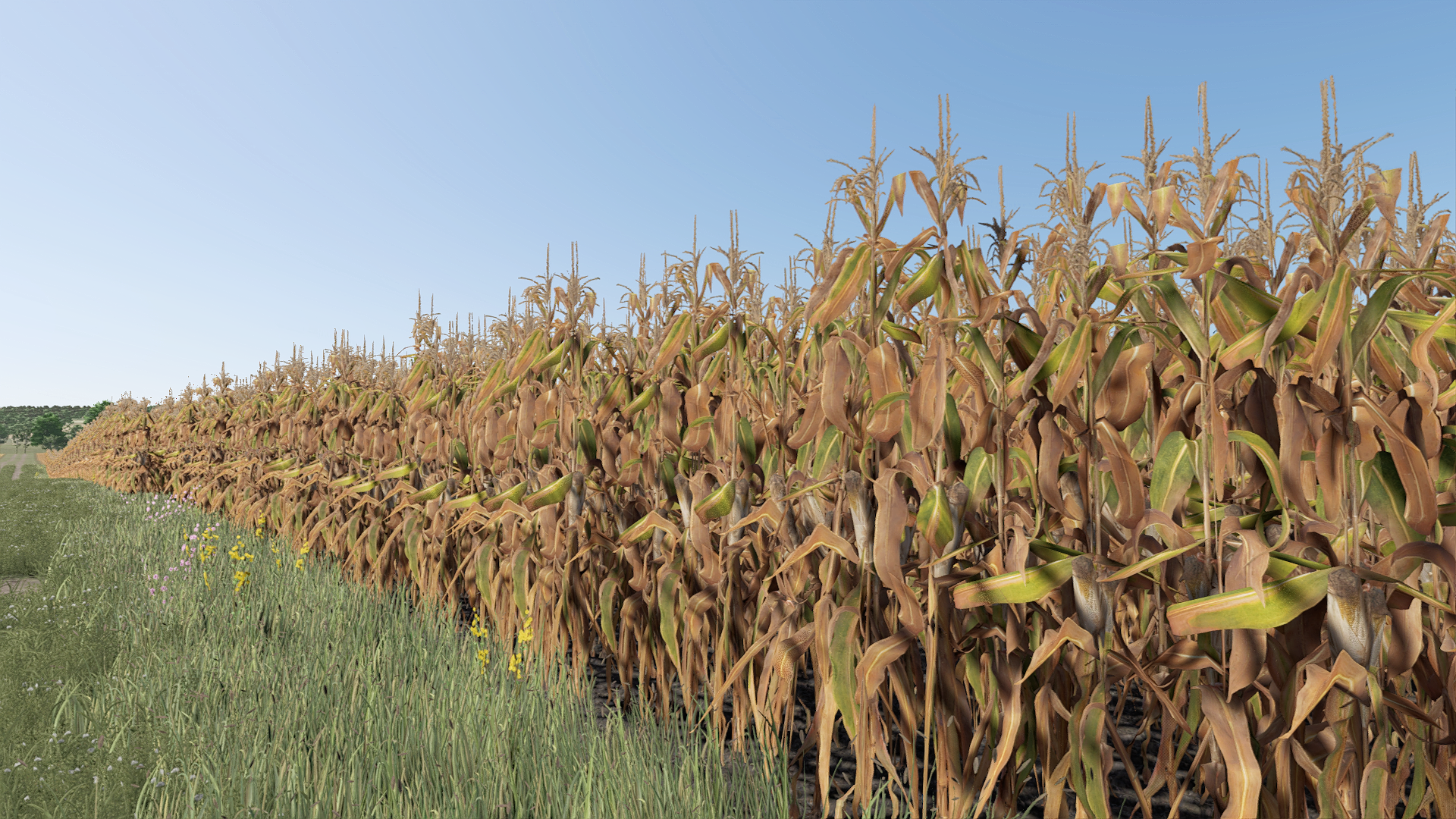
Improved Corn Plants Second is an original Sumro Gaming Field & Crop mod for Farming Simulator 25. It is made for players who want more realistic crop and field reactions during normal field work. The main purpose is simple: Improved Corn Plants Second is a visual maize foliage replacement mod for Farming Simulator 25. It uses a different corn texture pack to give maize fields a refreshed look with updated.
This article keeps the important information in one clean place so a player can understand the purpose of the mod before touching a savegame. The goal is not only to show that a download exists, but to explain where Improved Corn Plants Second fits and what type of work it changes. If another mod changes the same area, compare both descriptions and decide which script should control that feature before combining them.
Players should also check performance, visual behavior, controls, and log warnings, because stable script mods should stay quiet during ordinary farm work. A useful mod page should explain the real player benefit instead of only repeating a file name and a download button. Keeping the explanation specific to Improved Corn Plants Second helps new visitors understand the benefit even if they have never used this type of FS25 mod before.
Second Corn Foliage Texture Features
The main gameplay purpose of Improved Corn Plants Second is tied directly to its feature set: Replaces maize foliage visuals with a second improved texture and model set, Includes maize_base restore files and restores base-game maize visuals after the game or mission closes, and Do not enable together with FS25_ImprovedCornPlants or FS25_ImprovedCornPlantsThree; use only one corn foliage mod.
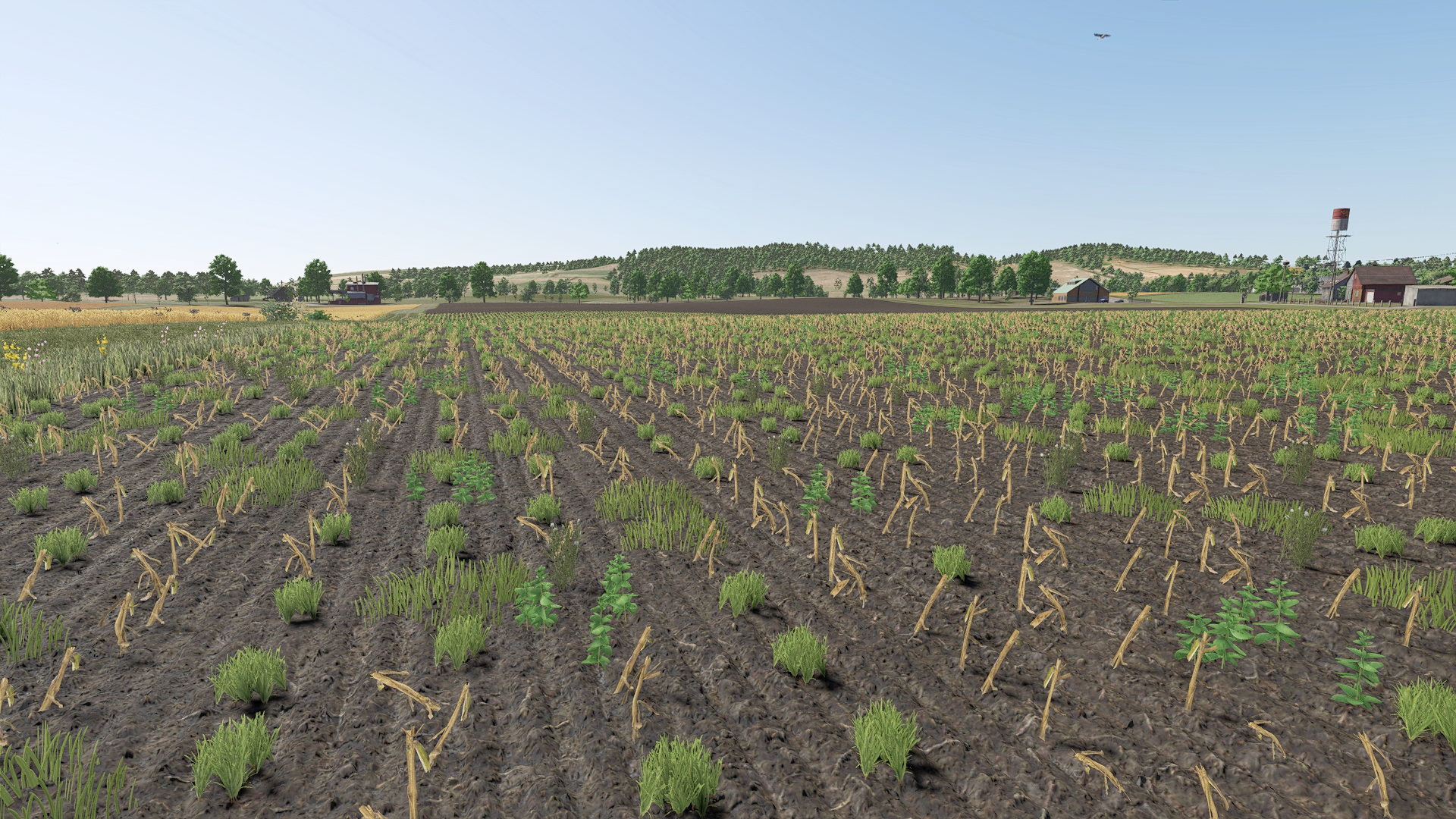
It installs a second refreshed maize foliage set while the mod is active, applies updated growth-stage textures, cut crop visuals, distance foliage, and model data, uses bundled maize_base restore files, and restores base-game corn visuals after the game closes. Those details matter because FS25 script mods can affect the feel of a farm more than a normal vehicle or object download. A good script should make its target job clearer, smoother, or more realistic without forcing the player to change every other part of the save.
Players should also check performance, visual behavior, controls, and log warnings, because stable script mods should stay quiet during ordinary farm work. A useful mod page should explain the real player benefit instead of only repeating a file name and a download button. Keeping the explanation specific to Improved Corn Plants Second helps new visitors understand the benefit even if they have never used this type of FS25 mod before.
That makes the page more useful for search visitors, server owners, and returning players who want to rebuild a stable mod list later.
Growth Stage Visual Workflow
It is best used on active crop saves where the player can compare field behavior before and after the mod during drilling, spraying, harvest, or headland work. For the best workflow, install Improved Corn Plants Second when the farm is quiet, load a test save first, and repeat the job that the mod is meant to improve. That means driving the same route, working the same field, opening the same menu, checking the same animal area, or using the same equipment before and after the mod is enabled.
If the mod becomes part of a main save, keep notes about the version and any other scripts that affect the same category. A useful mod page should explain the real player benefit instead of only repeating a file name and a download button. Keeping the explanation specific to Improved Corn Plants Second helps new visitors understand the benefit even if they have never used this type of FS25 mod before.
That makes the page more useful for search visitors, server owners, and returning players who want to rebuild a stable mod list later. If another mod changes the same area, compare both descriptions and decide which script should control that feature before combining them.
Backup Restore And Setup Testing
The download button opens the external source page listed for this mod, so players should check that page before adding the file to a save. After downloading, place the ZIP in Documents/My Games/FarmingSimulator2025/mods, start the game, and enable the mod from the savegame mod list. Keep only one copy of FS25_ImprovedCornPlantsSecond.zip in the active folder, because duplicate ZIP files can confuse FS25 and make troubleshooting harder. The active gameplay logic is written in Lua, the scripting language Farming Simulator 25 uses for script mods.
Lua is chosen because the game loads it directly through modDesc.xml, and using one main scripting language keeps the mod lighter, easier to update, and safer beside other scripts. No separate required-mod list is shown for this page, so the normal approach is to install this ZIP by itself and then test it with the rest of the active mod folder. Keeping the explanation specific to Improved Corn Plants Second helps new visitors understand the benefit even if they have never used this type of FS25 mod before.
That makes the page more useful for search visitors, server owners, and returning players who want to rebuild a stable mod list later. If another mod changes the same area, compare both descriptions and decide which script should control that feature before combining them. Players should also check performance, visual behavior, controls, and log warnings, because stable script mods should stay quiet during ordinary farm work.
Corn Mod Compatibility Note
Multiplayer support for this page is listed as Supported. If you plan to use Improved Corn Plants Second on a server, every player should use the same ZIP version and the server should be tested privately before the mod is added to a long-running farm. When something does not behave as expected, disable the newest mod first, remove duplicate files, and check the game log for errors that mention Lua, modDesc, specializations, missing XML, or missing assets.
That makes the page more useful for search visitors, server owners, and returning players who want to rebuild a stable mod list later. If another mod changes the same area, compare both descriptions and decide which script should control that feature before combining them. Players should also check performance, visual behavior, controls, and log warnings, because stable script mods should stay quiet during ordinary farm work.
Improved Corn Second Final Advice
The final recommendation is to treat Improved Corn Plants Second like a focused realism or utility improvement: install it cleanly, test the exact feature it changes, and keep the mod folder organized so future updates stay simple. A full in-game day is a better test than a quick menu check, because Improved Corn Plants Second may only show its value after normal work starts to repeat. The safest result is a setup where the mod improves field & crop gameplay while the rest of the save still loads, saves, and plays normally.
If another mod changes the same area, compare both descriptions and decide which script should control that feature before combining them. Players should also check performance, visual behavior, controls, and log warnings, because stable script mods should stay quiet during ordinary farm work. A useful mod page should explain the real player benefit instead of only repeating a file name and a download button.
Improved Corn Plants Second Features
- Replaces maize foliage visuals with a second improved texture and model set.
- Includes maize_base restore files and restores base-game maize visuals after the game or mission closes.
- Do not enable together with FS25_ImprovedCornPlants or FS25_ImprovedCornPlantsThree; use only one corn foliage mod.
How To Install Improved Corn Plants Second
- Open the download page from this page and download the mod file.
- Move the ZIP file into Documents/My Games/FarmingSimulator2025/mods.
- Start Farming Simulator 25 and enable the mod in your savegame mod list.
- For terrain, animal, or vehicle behavior scripts, test on a backup save first.
Improved Corn Plants Second Changelog
Current public version: v1.0.0.6. Keep only one version of this mod in your active mods folder.
Improved Corn Plants Second Compatibility Notes
Note: Do not enable FS25_ImprovedCornPlantsSecond together with FS25_ImprovedCornPlants or FS25_ImprovedCornPlantsThree. Use only one corn foliage replacement mod in the same savegame.